Tilesets
A .vtileset slices source art into a tile grid and stores shared metadata. A scene's TilemapRenderer places those tile indices on one layer. The Tile Palette chooses what to paint; the Tileset Editor defines the source itself.
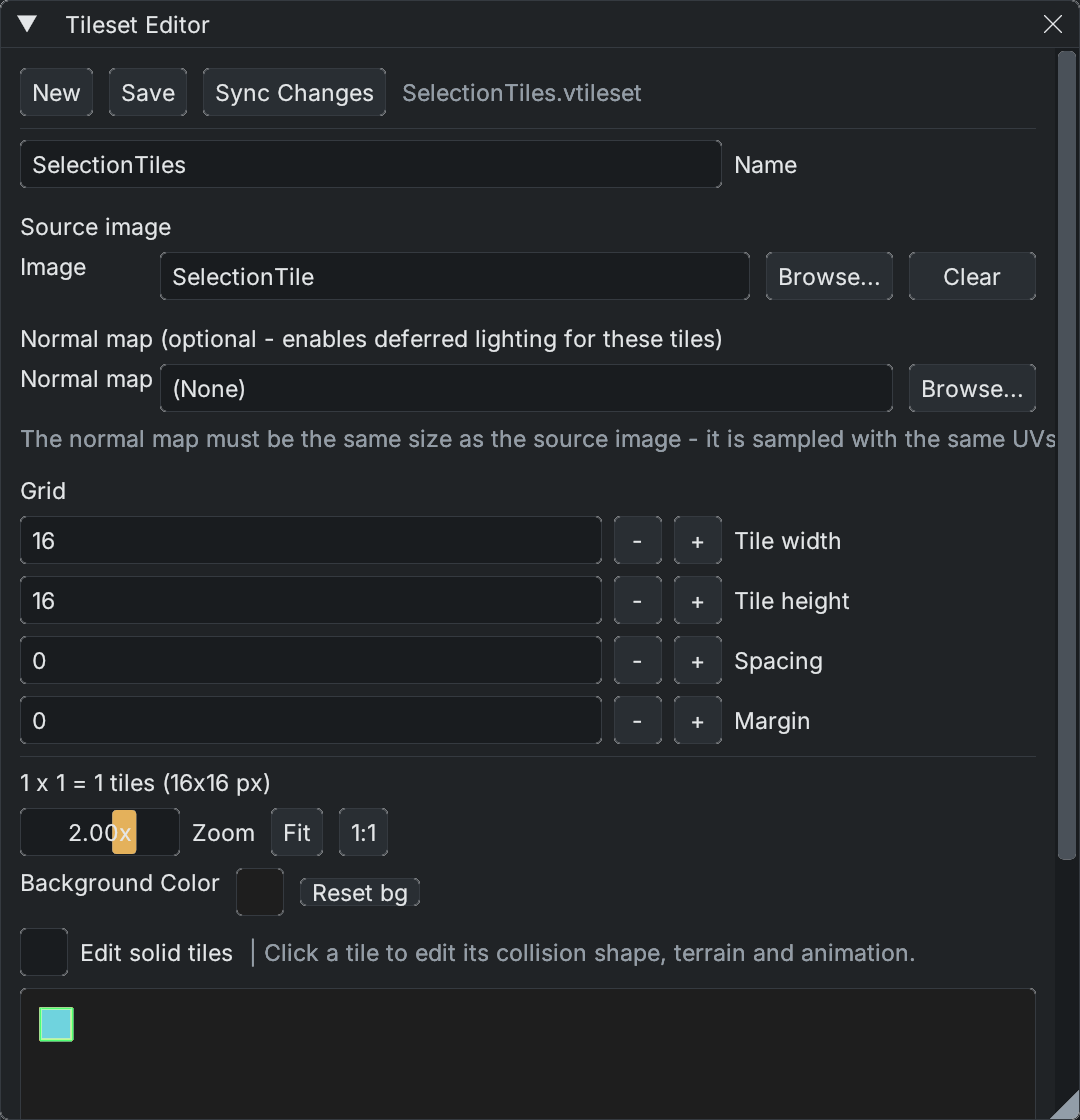
Example tileset: one 16×16 PNG tile, with zero spacing and margin. The normal-map slot is optional.
Create and use a tileset
- Open View > Window > Tileset Editor, or choose New Tileset in the Tile Palette.
- Assign a PNG or Aseprite source. For Aseprite, choose the source layers and frame/animation settings you need.
- Set Tile width, Tile height, Spacing and Margin to match the artwork. These describe the atlas, not the scene camera.
- Choose a name and save the
.vtilesetin the project. Tile metadata uses atlas indices, so changing the grid later can change what existing painted cells display. - In the Tile Palette, assign the tileset and choose New Layer, or drop a tileset asset into the game view to create a layer. Each layer has its own scene cells, render order and collision mask.
Use Edit Tileset to reopen the active layer's asset. Fit shows the whole atlas and 1:1 restores native scale. Per-tile settings include a name, Solid, collision shape, one-way behavior, animation frames and terrain membership. Named custom collision polygons are reusable among tiles; terrain masks describe which tile fits its neighbors. For related lighting workflows, see Room Light and Animated Normal Maps.
Source changes and collision
After editing source art externally, press Sync Changes in either tile window. It rereads the source and reloads the tileset on scene layers. Keep tile dimensions and atlas layout stable when replacing art; reordering source tiles can make old tile indices refer to different artwork. See Live Aseprite Integration for the connected art workflow.
Solid and collision shape are tileset metadata. The scene layer's collision mask determines which placed cells contribute collision; it can be painted separately or generated from tiles. Changing collision metadata can rebuild colliders on affected layers. A rectangular tile selection is an editing gesture and does not add physics colliders.
Tileset Save writes an asset file. Scene painting, movement and collision edits use the scene undo history; do not treat that history as a substitute for backing up source art or tileset files.
Continue with Tile Palette for painting and Scene tile selection for moving placed art.